Cover Page

Tesseract OCR

Unlocking the Power of Optical Character Recognition with Tesseract In Optical Character Recognition (OCR), Tesseract OCR stands out as a leading open-source library. Renowned for its extensive language support and ability to handle various image formats, Tesseract is a go-to choice for developers seeking to integrate text recognition capabilities into their applications. Key Features Supported Formats Tesseract is adept at recognizing text from a multitude of image formats, including JPG, PNG, BMP, and more. This flexibility ensures it can be seamlessly integrated into diverse projects with varying image input requirements. ...

June 15, 2024 · 4 min · 689 words · PrashantUnity
Cover Page

Windows Media OCR

Windows Media OCR Windows Media OCR is a powerful tool for extracting text from images, derived from Microsoft’s popular PowerToys repository. This tool leverages Windows’ built-in capabilities, making text recognition efficient and seamless for Windows 10 and above. In this post/Article, I’ll show you how to get started with Windows Media OCR and integrate it into your projects. Getting Started First, you need to clone the repository to your local machine. Use the following command: ...

June 15, 2024 · 2 min · 339 words · PrashantUnity
Skia Sharp Basic Cover

SkiaSharp basics

Getting Started With SkiaSharp Requirements Visual Studio Code (VS Code) Polyglot Notebook Extension A little bit of experience in C# Quick Setup This guide will walk you through the basic setup and usage of SkiaSharp in VS Code. Step 1: Create a Notebook File Open VS Code. Create a new file and name it Basic.ipynb or any name with the extension .ipynb or .dib. Step 2: Install SkiaSharp Library In the first cell of your notebook, type the following command to download the SkiaSharp library from the NuGet package repository: ...

June 14, 2024 · 2 min · 313 words · PrashantUnity
Google Drive Logo

Drive folder IDs

Overview Suppose you want to extract the ID of all items that reside in a folder of Google Drive. There are many ways to do this, like manually copying from each file or programmatically. I will guide you on how to do this using a program in C# Requirements Shared Google Drive Folder id /URL 1 https://drive.google.com/drive/u/4/folders/1759s8Jule46RCPypiQ5y3wLh5aCPlrK6 IDE like VS Code or Visual Studio preferred. Latest .NET SDK installed. You can get it from here Steps 1 Open IDE or code editor. Create a new console app using IDE or through this command in terminal ...

June 13, 2024 · 4 min · 707 words · PrashantUnity
Image TO PDF Basic Cover

Images to PDF

Steps Requirements Visual Studio Code (VS Code) Polyglot Notebook Extension Basic Setup Knowledge Visit Basic Setup for initial setup instructions. Install .NET SDK If not Installed From Official Website File Setup Install Visual Studio Code If not already installed, download and install VS Code. Open the Folder with Your Image Files Navigate to the folder where your image files are located. Open Terminal in the Folder For Windows: Right-click in the folder, select “Show More Options,” and then “Open in Terminal.” Alternatively, type cmd in the folder path and press Enter. In the terminal, type code . (code followed by a space and a period) to open VS Code in that folder. If the above methods don’t work, search for VS Code in your PC’s start menu and open it, then follow the live video for an alternative method: ...

June 10, 2024 · 3 min · 629 words · PrashantUnity
Download Logo

Interview framework

Define Input and Output Requirements How is the input stored? What kind of values are there? Are there any negative values? Will there be any empty data? Can I assume there is always valid input? Will the size/number of data be greater than integer max value? Are we returning indexes/data? What if there are multiple answers? Analyze Data Size, Range, and Scale How big is the size of input? Do we take into account integer overflow? Size of array or N or Length What should we do if the size of data count is greater than Integer range? Suggest we can use linked list own custom data type Consider the Runtime Environment What type of environment will the algorithm be running in? Can I modify the original data? Can I use the latest language features? Walk Through Your Solution Approach Start writing comments in the editor. ...

July 12, 2024 · 2 min · 230 words · PrashantUnity
Download Logo

Install SDK & IDE (Ch. 1)

For PC/Mac/Linux Users Install the Software Development Kit (SDK) Download the official SDK from here. 1 https://dotnet.microsoft.com/en-us/download/visual-studio-sdks Choose the appropriate SDK based on your operating system. Follow the on-screen instructions to complete the installation. Download an Integrated Development Environment (IDE) or Code Editor of Your Choice Visual Studio Community Version: Download it here and click on “Free Download”. 1 https://visualstudio.microsoft.com/downloads/ Visual Studio Code: Download it here. 1 https://code.visualstudio.com/?wt.mc_id=vscom_downloads JetBrains Rider: Download it here. 1 https://www.jetbrains.com/rider/ Many more IDEs are available, like Eclipse, etc. Installation Instructions Open the downloaded file. Follow the on-screen instructions to complete the installation. For Users Without a PC or Those Who Don’t Want to Download Software Use an Online IDE SharpLab Paiza.io Dotnet Fiddle Programiz One Compiler W3Schools OnlineGDB For Visual Studio Code Users Install the Polyglot extension for enhanced language support.

June 15, 2024 · 1 min · 136 words · PrashantUnity
Generate Thumbnail

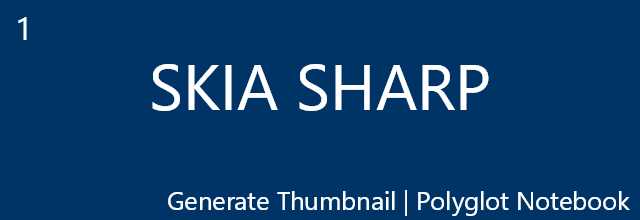
Cover art in SkiaSharp

Creating Cover Images with SkiaSharp Cover on this website is generated using SkiaSharp Only Requirements Visual Studio Code (VS Code) Polyglot Notebook Extension A little bit of experience in C# For Basic/Installation please visit Basic Setup Code Install SkiaSharp 1 #r "nuget:SkiaSharp" Import SkiaSharp Library 1 using SkiaSharp; Code To Generate Cover Or Thumbnail 1 2 3 4 5 6 7 8 9 10 11 12 13 14 15 16 17 18 19 20 21 22 23 24 25 26 27 28 29 30 31 32 33 34 35 36 int width = 640; int height = 220; int marginY = -10; int marginX = -10; string Numbering ="1"; string mainText ="SKIA SHARP"; string subText = "Generate Thumbnail | Polyglot Notebook"; string backGroundColor ="#003366"; string textColor = "#ffffff"; string boderColor = "#ffffff"; SKBitmap bmp = new(width, height); SKCanvas canvas = new(bmp); canvas.Clear(SKColor.Parse(backGroundColor)); using (var paint = new SKPaint()) { paint.TextSize = width/ 10.0f; paint.IsAntialias = true; paint.Color = SKColor.Parse(textColor); paint.IsStroke = false; paint.StrokeWidth = 3; paint.TextAlign = SKTextAlign.Center; canvas.DrawText(mainText, width / 2f, height / 2f, paint); paint.TextSize = width/ 25.0f; paint.TextAlign = SKTextAlign.Right; canvas.DrawText(subText, width+marginX, height+marginY, paint); paint.TextSize = width/ 20.0f; canvas.DrawText(Numbering, (width/ 20.0f)*Numbering.Length,(width/ 20.0f)*1.25f, paint); paint.IsStroke = true; paint.TextAlign = SKTextAlign.Center; paint.Color = SKColor.Parse(textColor); } SKFileWStream fs = new("cover.jpg"); bmp.Encode(fs, SKEncodedImageFormat.Jpeg, quality: 50); bmp.Display();

June 14, 2024 · 2 min · 215 words · PrashantUnity
Generate Thumbnail

Hex grid in SkiaSharp

Concept A hexagon consists of six vertices. Given one vertex coordinate, we can find all other vertices as the angle between two edges is 120 degrees. Consider a starting point (x, y) and the width of an edge b. The right neighbor points will be (x + b, y). The right neighbor of the right neighbor will be (x + b + b * Cos(60), y + b * Sin(60)) and so on. Example ...

August 3, 2024 · 3 min · 634 words · PrashantUnity
Generate Thumbnail

Trig tables in SkiaSharp

Trigonometry Table Generation Trignonometry Table Code used to Generate Above Table 1 2 3 4 5 6 7 8 9 10 11 12 13 14 15 16 17 18 19 20 21 22 23 24 25 26 27 28 29 30 31 32 33 34 35 36 37 38 39 40 41 42 43 44 45 46 47 48 49 50 51 52 53 54 55 56 57 58 59 60 61 62 63 64 65 66 67 68 69 int width = 1500; int height = 750; int step = 60; SKBitmap bmp = new(width, height); SKCanvas canvas = new(bmp); canvas.Clear(SKColor.Parse("#fff")); SKPaint paint = new() { IsAntialias = true, StrokeWidth = 4, Color = SKColor.Parse("#003366"), Style = SKPaintStyle.Stroke }; paint.TextSize = 48f; string backGroundColor ="#fff"; canvas.Clear(SKColor.Parse(backGroundColor)); paint.Style = SKPaintStyle.Fill; string trignometricTable = "Trigonometry Table"; string root = "\u221A"; string theta ="\u03B8"; string degree ="\u00B0"; string inf ="\u221E"; var ls = new List<List<string>>(); ls.Add(["",$"0{degree}",$"30{degree}",$"45{degree}",$"60{degree}",$"90{degree}"]); ls.Add([$"Sin{theta}",$"0",$"1/2",$"1/{root}2",$"({root}3)/2",$"1",]); ls.Add([$"Cos{theta}",$"1",$"({root}3)/2",$"1/{root}2",$"1/2",$"0",]); ls.Add([$"Tan{theta}",$"0",$"1/{root}3",$"1",$"{root}3",$"{inf}",]); ls.Add([$"Cosec{theta}",$"{inf}",$"2",$"{root}2",$"2/{root}3",$"1",]); ls.Add([$"Sec{theta}",$"1",$"2/{root}3",$"{root}2",$"2",$"{inf}",]); ls.Add([$"Cot{theta}",$"{inf}",$"{root}3",$"1",$"1/{root}3",$"0",]); float shifx =150; float shify =120; float verticalMax = 600 + shify; float horizontalMax = 1200 + shifx; for(var i=shify; i<height; i+=100) { canvas.DrawLine(shifx,i,horizontalMax,i,paint); } for(var i=shifx; i<width; i+=200) { canvas.DrawLine(i,shify,i,verticalMax,paint); } paint.TextAlign = SKTextAlign.Center; canvas.DrawText(trignometricTable,width/2,100,paint); float y =200; foreach(var i in ls) { float x =shifx+100; foreach(var j in i) { canvas.DrawText(j,x,y,paint); x+=200; } y+=100; } bmp.Display(); 1 2 3 4 5 6 7 8 9 10 11 12 13 14 15 16 17 18 19 20 21 22 23 24 25 26 27 28 29 30 31 32 33 34 35 36 37 38 39 40 41 42 43 int width = 1500; int height = 750; int step = 60; SKBitmap bmp = new(width, height); SKCanvas canvas = new(bmp); canvas.Clear(SKColor.Parse("#fff")); SKPaint paint = new() { IsAntialias = true, StrokeWidth = 4, Color = SKColor.Parse("#003366"), Style = SKPaintStyle.Stroke }; paint.TextSize = 48f; string backGroundColor ="#fff"; canvas.Clear(SKColor.Parse(backGroundColor)); paint.Style = SKPaintStyle.Stroke; var skPath = new SKPath(); float diagonal = 600; float rX = 150; float rXX = rX + diagonal*MathF.Sqrt(3)/2; float rY = 150; float rYY = rY +diagonal/2; SKPoint[] rt = [new SKPoint(rX,rY),new SKPoint(rX,rYY),new SKPoint(rXX,rYY)]; float aX = width/2; float aY = 300; canvas.DrawText("1",rX-30,(rY+rYY)/2 ,paint); canvas.DrawText("2",(rX+rXX)/2,(rY+rYY)/2 -10 ,paint); canvas.DrawText("\u221A3",(rX+rXX)*1/2.5f,rYY +50 ,paint); var skpath = new SKPath(); skpath.AddPoly(rt); canvas.DrawPath(skpath,paint); bmp.Display();
August 3, 2024 · 2 min · 370 words · PrashantUnity